CREATOR PRO · YOUR OWN APPS
“Could I make an app for that?”
An animal quiz for a sibling, a scoreboard for a game or a handy task list. With Creator Pro, your child designs the screen and programs what the app does. A small idea of their own is enough to start.
For the Pliro app on Windows and supported Linux computers.
VISUAL DESIGN
First the question. Then the screen.
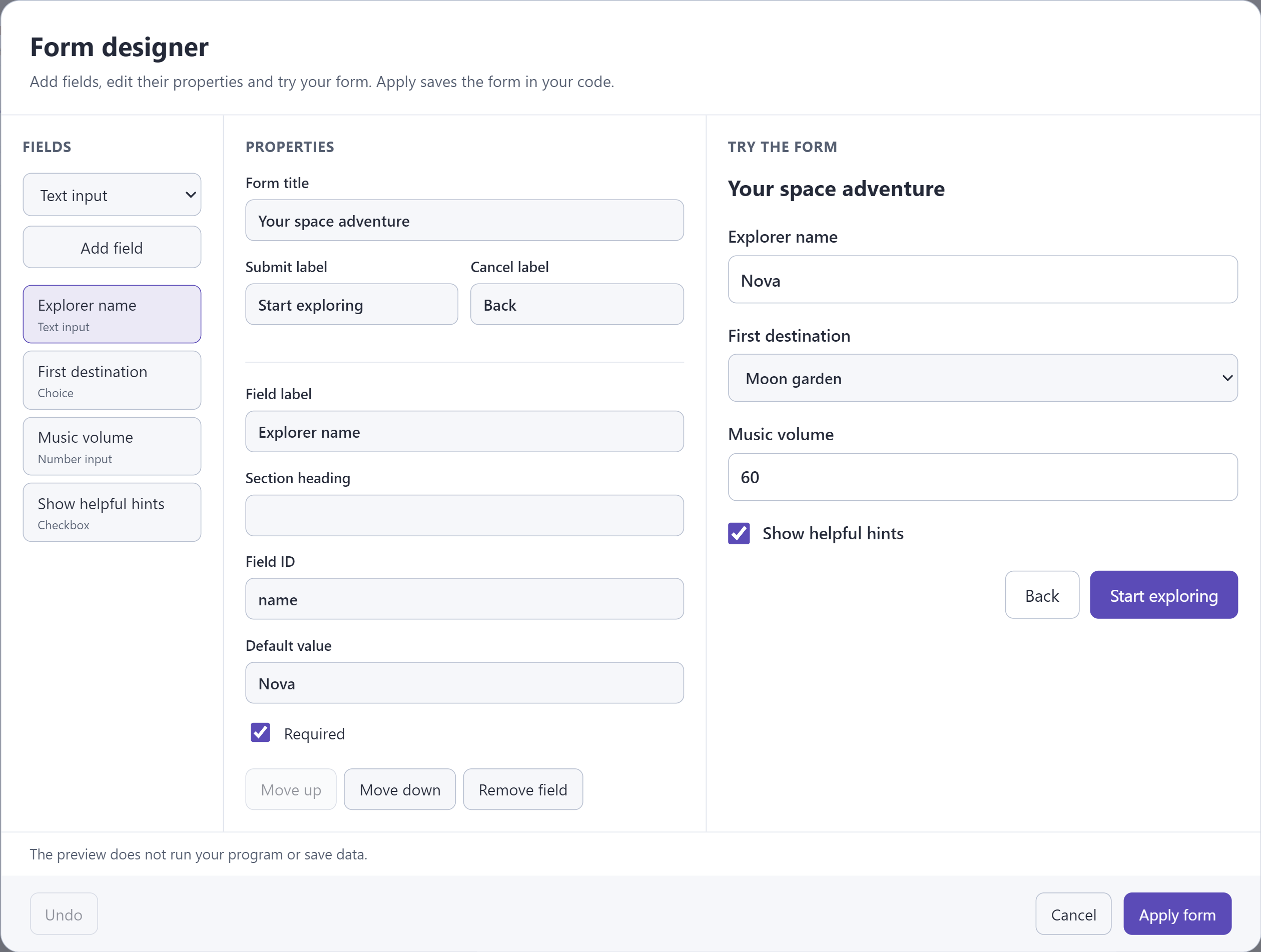
What should someone be able to do with the app? Your child chooses the text, choices and input fields it needs. The designer shows how these parts form a screen.
- Start with one screen and one clear task.
- Add text, choices and answer boxes in the visual designer.
- Connect the screen to your own program instructions.
TRY AND IMPROVE
Make something another person can try.
Let someone click the buttons. Is it clear what to do? Creator Pro also gives you tools to pause your program and investigate a mistake. Your child can use what they find to choose the next thing to try.
- See what your program does step by step.
- Investigate an unexpected button or calculation.
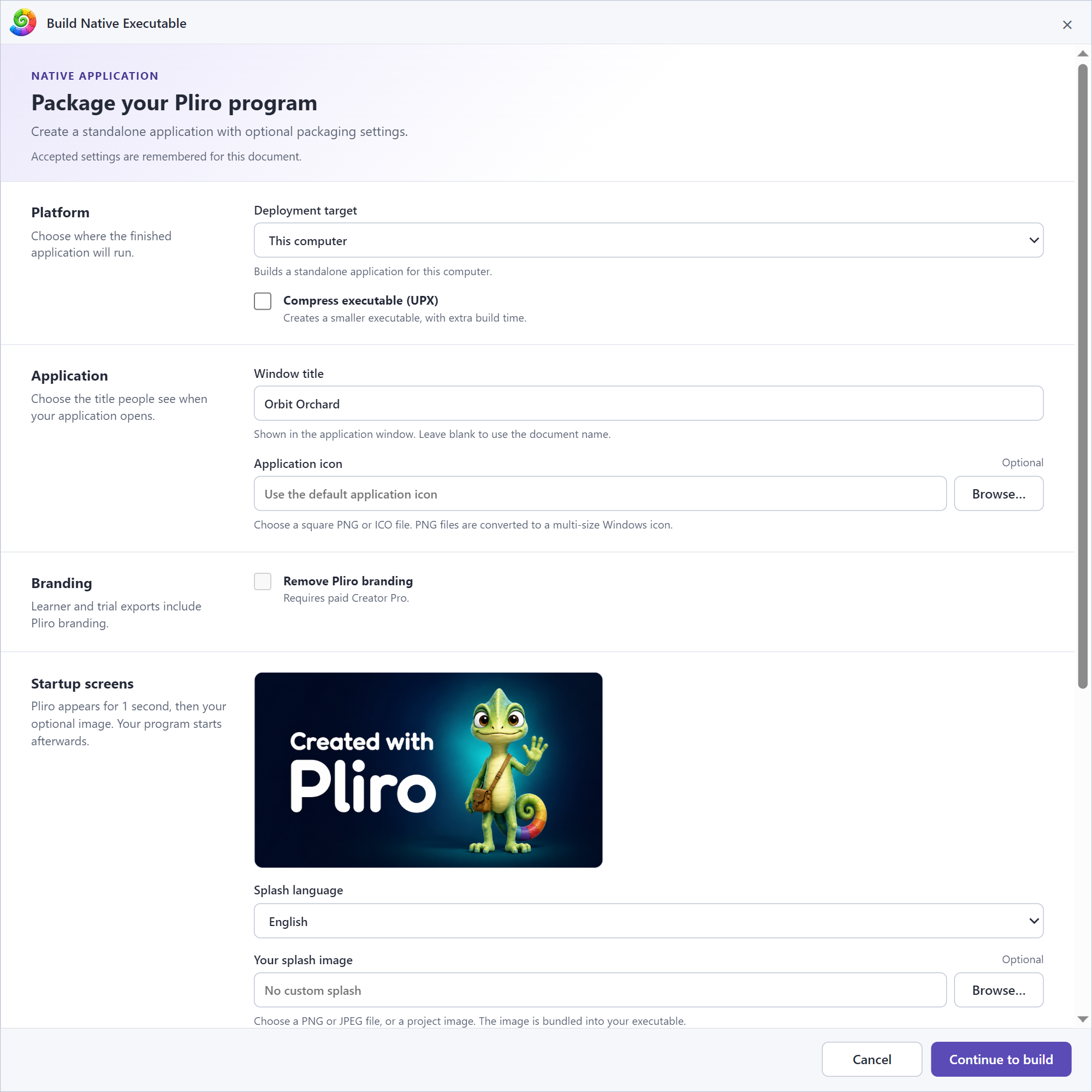
- Create a standalone app for a supported system.
QUESTIONS FROM PARENTS
The practical details.
Can my child already make apps with free Learner?
Yes. Learner supports coding, basic app screens through code and app exports for your operating system and Raspberry Pi, with Pliro branding. Creator Pro adds the visual screen designer and additional export options.
Does the recipient need Creator Pro?
A standalone app does not require a Pliro licence. It must be compatible with the recipient’s computer. An app you have already exported keeps working if your Pro subscription later ends.
Can Creator Pro handle bigger projects too?
Yes. Alongside visual tools, it offers more ways to investigate mistakes, save data and work with files or the internet. They are there when a project needs them; you do not have to learn them all to start.
READY FOR THE NEXT IDEA?
Choose what works for you.
See current prices and payment options. Review your total and terms before you pay.